Hero Inc.

where heroes are an everyday occurrence

Jul-13-2008

Batman: Gotham Knight
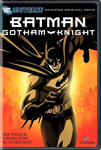
On Tuesday July 8th, Batman: Gotham Knight was released on DVD as a tie-in between Batman Begins and The Dark Knight.  You can think think of it as another anime Matrix concept, but better.

Gotham Knight tells six different stories of Batman’s journey into becoming the Dark Knight.  It is directed and drawn by some of the best anime directors and artists.  I’ve never been a big fan of anime art, but some of these stories look really good and work well for the stories being told.

The first story is probably the weakest of the 6, but the thought behind it works quite well as four kids describe Batman as everything from a shadow to a human bat.  After the first story, the remaining 5 pick up with great storytelling.  It reminds me of the Batman Animated Series (probably due to some of the same writers).  My only complaint would be that the DVD is short and each story leaves you wanting more.

The DVD is not a necessity before watching the Dark Knight (this Friday), but it is nice to see some of the moments that will not be described fully in the Dark Knight.  If you have the chance to check it out before you see TDK, it’s worth it.

[Rating: 4/5]

Posted under Heroes, Movies
Jul-6-2008

BasKet Case

Struggling to keep track of little projects? Need a handy way to keep to-do lists? Enjoy keeping information handy as you search online? Well, all of these questions may not need to be answered yes for you to enjoy BasKet Note Pads.

According to the BasKet site, BasKet helps you:

  • Easily take all sort of notes
  • Collect research results and share them
  • Centralize your project data and reuse it
  • Quickly organize your thoughts in idea boxes
  • Keep track of your information in a smart way
  • Make intelligent To Do lists
  • And a lot more…

BasKet is a program that many Windows users will find similar to Microsoft’s OneNote. I had not used OneNote prior to my BasKet experience, which is probably a plus. I didn’t think I would find this application helpful at first, but I’ve soon found it to be great for keeping me focused on different things I have in front of me. I often set myself up for multiple mini projects that I easily lose track of my progress. I create To-Do lists on the fly, track the progress (or lack there of) of my sites and what updates are next, save research for upcoming purchases (computers, tickets, comic books, etc.). It’s pretty lightweight and easily runs in the background so you can bring it up at any point to add new information in some form.

After trying BasKet, I downloaded OneNote for my work computer. I found OneNote, like most Microsoft products, to not be able to handle on the fly, quick creations as well as BasKet did. A product like BasKet or OneNote should be fast, convenient and better than keeping a pad of paper and pencil helpful to record information. BasKet, to me, accomplishes just that. Now if I could have a mobile version that would sync to the desktop version, I’d be set for life with this product.

When you first start with BasKet, I highly recommend the Tour section of their site. The handy download offered there will quickly start you on your path to “getting things done” the BasKet way.

Posted under Linux
Jun-22-2008

Good Music Lives On

While driving in my car tonight, I had a strange little conversation. It was mainly strange because I was the only person in the car and I was not talking through my cell phone. I was actually chatting it up with the guy in the vehicle next to me.

You see, the guy next to me, who we will call Red Car Guy (RCG), and I had passed through about 3 lights together. I in one lane and he in the other. I had my windows down enjoying the cool night air and my stereo cranking out some much needed tuneage (music for those “un-hip” to my choice of terminology). Now, at the time I was not in the mood for Instrumental, Rock, Classic Rock, 80’s, Pop, Punk, Rap, R&B, Polka, Comedy, Christmas, or even Techno. I was in the mood for something good. Since I had just finished watching Four Brothers (good flick), I felt that The Temptations would be a good choice, and of course, I went to my favorite song first, “I Wish It Would Rain.”

Back to RCG, he got my attention to find out who I was listening to because he could not remember who it was. When I told him I received one of my favorite compliments: “Great group man. That’s a great song.” Wow, random conversation, but it was still great. I sometimes have wondered if the “oldies” were still respected as they should be. I guess I have my answer now. I mean, how often do you hear about someone complimenting your music (from another car) when you are blaring The Temptations, The Association, or The Playboys from your stereo? Honestly…

Posted under Music
Jun-20-2008

Get Smart

Maxwell Smart moves to the big screen in this updated version of the Mel Brooks’ created TV Show, Get Smart. This time, Max is played by the talented and hilarious Steve Carrell. Chaos is at it again, Control is struggling to save the day, and the humor reigns down upon you.

As I headed to the movie, I decided to lower my expectations after less than spectacular reviews. Also, I remembered all of the other old TV shows Hollywood tried to update and failed miserably in doing so. Would they try to sex/action/unnecessarily update a great TV show? Well apparently their consultants, Mel Brooks and Buck Henry, showed them exactly what was needed to make this movie another success for Steve.

The jokes were just as good as they were during Don Adams’ stint as Agent 99. The action was updated to make current movie goers happy and even mimicked several James Bond style shots. The movie didn’t try to kill with too many jokes or too much action. There was actually a story there between 86 and 99 (Anne Hathaway) that was worth telling and worth watching.

I won’t lie. The “turning point” is seen a mile away but you don’t really care because it works and you are more interested in how Max will end up saving the day without truly trying. It was also great to see the random actors that showed up in this film to lend a hand in even the smallest of roles. I personally enjoyed the surprise president and agent in the tree.

Overall, it’s definitely worth the price of admission if you even remotely enjoyed the old Get Smart TV show.

[Rating: 4/5]

Posted under Movies
Jun-15-2008

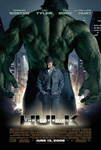
The Incredible Hulk

We are only a few years removed from Ang Lee’s “Hulk” and Marvel’s green monster is already returning to the big screen. This time, the cast includes Tim Roth, Liv Tyler, and Edward Norton. Will it be better? Can the Hulk beat Iron Man (in value)? Or are we just returning to the Greek tragedy that was Lee’s Hulk and the 138 minutes I wasted the first time.

Actually, let me set the record straight on Lee’s Hulk. I enjoyed it. I liked the visuals and the way the Hulk was presented. However, the Hulk story is just boring to me. It can be slow when it is moved to the big screen instead of the comic strips.

That being said, Incredible Hulk is not Lee’s Hulk and mostly for the better. This movie was not as good as Iron Man, but it did pick up where Iron Man was lacking. The final battle between Roth’s Abomination and the Hulk was exactly what it needed to be: a hulk bashing action scene for regular movie goers with certain elements thrown in to appease the nerdy masses as well.

I did think the first part of the movie dragged. It’s slow watching Norton on the run at times (especially when he isn’t running). I started to have flashbacks to the TV show. Maybe it was the “on the run” theme or the subtle music being used. Yes, that is the final credits song from the tv show thrown in a scene early in the movie. Of course, my mind raced to Family Guy’s take on it rather than the Hulk TV show.

Overall the movie wasn’t bad, but it wasn’t great either. I think the Hulk is just a hard character to make the transformation to the big screen due to the story and character structure. The story had to constantly switch from its serious tone and then to some comedy in order to keep the audience looking at the screens instead of their watches. However, the graphics were amazing. The details in the computer generated Hulk were definately worth it. The best shot is probably when he is outside in the rain near some caves. The Hulk’s face takes up most of the screen and you almost swear it is a real person in makeup.

[Rating: 3/5]

Posted under Heroes, Movies
Jun-1-2008

Widgets, Widgets, Widgets

Sure Windows and Mac have Widgets, but what is a widget. Wikipedia defines a widget in many different ways. However, in the computer world, a widget is “a component of a graphical user interface with which a user interacts.” In other words, something really cool to stick on my desktop to provide different types of information. Some of the most common widgets are for weather, time, system monitoring and etc.

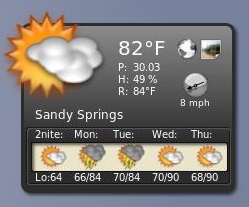
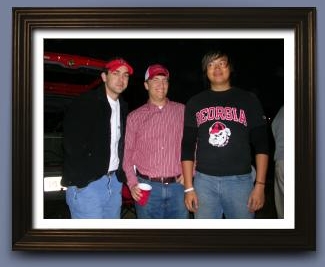
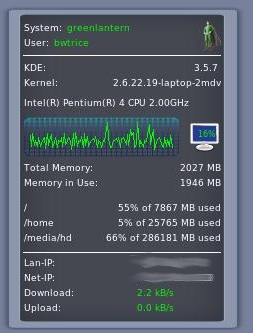
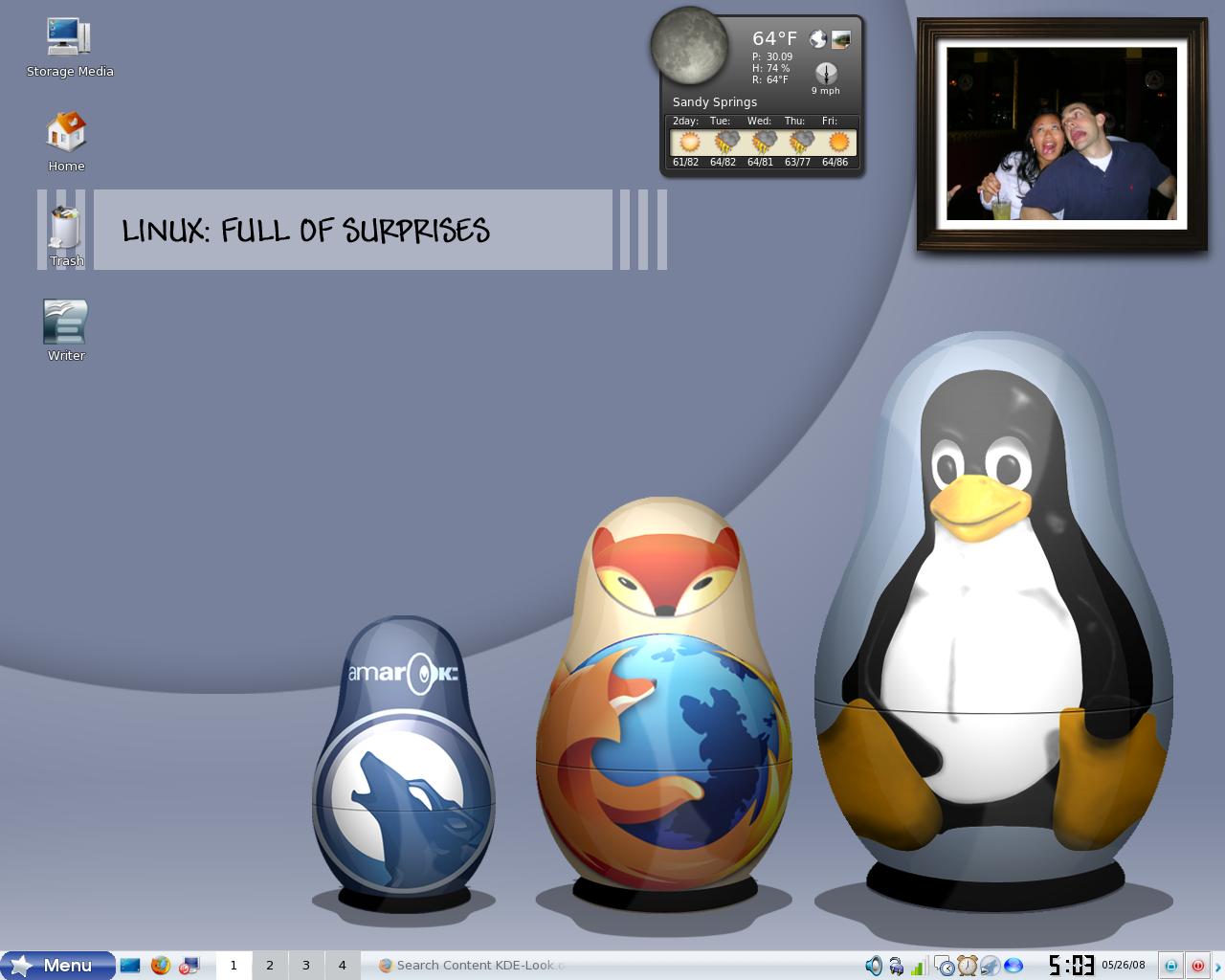
With Super Karamba, my desktop has come to life with widgets. Due to the speed of my current system, I’ve kept the widgets to a minimum and I am happy with my three main widgets and one substitute widget. These widgets include:

  • Liquid Weather ++ => This widget is a weather widget designed to provided updated information concerning weather in a particular area or many areas. It can also provide weather maps for upcoming storms and web cams for different views around your area. You will of course need to provide the addresses for the web cams, but that isn’t too difficult to find.
  • A-Foto => This widget is probably my favorite of my list. This one provides a wonderful picture frame of pictures based on a folder location. I find myself leaving my desktop clear so that I can see this particular widget.
  • R-Monitor-SE ENGLISH => This widget provides up to the minute system information for monitoring purposes. I was happy with this widget from the start, but then I realized how easily I could modify the widget to look how I wanted it to look and I grew to love it even more. Now it matches my website (Hero Inc.) and personality. The link for the widget will show you how the widget looked prior to my alterations being made.
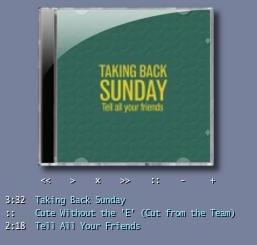
  • cdKase Amarok => It’s always great to display album art if you have it. This widget provides a casing for the album art and Amarok controls on the desktop. However, I vary rarely use my desktop to control Amarok. It does look great though.

All of my widgets were found through kde-look. If anyone knows some other great widgets I should check out, please let me know.

Posted under Linux
May-30-2008

“Choke” On This

Thanks to Joe, I have seen the first trailer/teaser for the movie Choke. You can check out the trailer here at MTV Overdrive or visit the teaser site which has the trailer as well.

Choke is a novel by Chuck Palahniuk (Fight Club) and is one of my favorite writers. Choke, according to chuckpalahniuk.net, is:

Victor Mancini, a medical-school dropout, is an antihero for our deranged times. Needing to pay elder care for his mother, Victor has devised an ingenious scam: he pretends to choke on pieces of food while dining in upscale restaurants. He then allows himself to be “saved” by fellow patrons who, feeling responsible for Victor’s life, go on to send checks to support him. When he’s not pulling this stunt, Victor cruises sexual addiction recovery workshops for action, visits his addled mom, and spends his days working at a colonial theme park.

At first, I was excited about this movie due to the actors involved (Sam Rockwell and Anjelica Houston), but I was more worried about what they would need to change. Choke is not a very main stream friendly book in any regard. Out of all of Chuck’s novels, I would say Fight Club was as main stream as he could get and that’s saying a great deal. However, after seeing this teaser/trailer, I’m excited again to see this movie. It looks like they might try to stay true to the book.

Hopefully if this movie does decently well then Survivor and Invisible Monsters (my favorite) will receive the greenlight for production again. But again, this movie will probably bomb with the masses.

Posted under Movies
May-26-2008

Happy Memorial / Mandriva Day

That’s right. On this wonderful holiday, I’m choosing to celebrate by beginning my summer of dorkiness. With the girlfriend away (Europe and Asia), I am now able to tackle the following IT tasks:

  • Reformat Mandriva – Basically looking to do a real install rather than the Live one I did. This is more for me to relax and truly install from the start. I also originally installed with the dual boot option for Windows. However, with my VirtualBox, I never need to boot back into Windows. My Linux box will grow from 20GBs of space to 40GBs of space. That’s a big deal even though it is still small.
  • Finish my Perl book – I’ve started the language and it’s ok. I now feel I should have went after Python, but that can be my next task.
  • Complete and update my WordPress Plugin – With the addition to GCStar in my life, I began building a simple WordPress plugin. I have version 0.0.1 written, but I have ideas of what can be next for it. Once I have it to an “acceptable” level, I’ll release it for others to download and mock my poor understanding of a simple solution. Yeah, I don’t have too much faith in my programing skills for the masses.

It’s time for the SUMMER OF BEN!!!!

UPDATE: Here are a few screenshots of my newly installed Mandriva system. Click on the images to get a larger version to view.

Desktop

Desktop

Posted under Linux
May-21-2008

I Walk The Line

Due to climbing gas prices, I made a monumental decision on April 24, 2008. I decided that I would stop driving to work. Looking at head at four dollars for gas, I decided that was an insane value. I mean, it was/is going to hit an amount that is 400% higher than what I remember gas being when I start driving. What once would fill up my car ($20) will not even provide me with half a tank.

On April 25, 2008, I began my no car to work initiative. It sounds cooler if I call it that. The approach was to ride with my roommate to work. He lives roughly half a mile from a MARTA station. There is a MARTA station near our apartment, but activity and me do not mix well without sweat. I’m working on that as well. Anyway, I would walk to the MARTA station in the morning. Then when I came home at night, I would ride to the nearest MARTA station and walk home. The walk home is roughly 1.5 miles. I don’t mind the perspiration in the evening since I’m going home and do not need to present myself in an acceptable manner then.

Eighteen days into the initiative (I didn’t walk for a few of the days), I’m still going strong. My current problems with the walk are the following:

  • Body Temperature – Even with the minimal walk I struggle to keep my body temperature down. This will grow in difficulty as the humid Georgia summer approaches.
  • Weather – The evening walks are not bad except for when you walk home during a tornado. Having 1/4 of your body in water isn’t the greatest.
  • Time – I don’t really get home at a “reasonable” time anymore. Part of this is due to my current client being on the west coast and I’m not traveling at a car’s speed here. Of course, my commute home is still shorter than most Atlanta residents who drive. That’s just sad.

Now, this is a numbers game we are ultimately playing so I’ll provide the real figures people are wanting to know.

  • $45.60 => This is the amount of money I have saved by not driving to work each day. This number only includes days I would travel to work and an average gas price of $3.75. If I included everywhere I would have driven during this time period and chose to carpool or walk instead, the money saved would be $71.81. I was able to carpool home from Trivia, to kickball games, and to Winder to see my sister’s house.
  • 1.9014 => This is the number of miles I walk daily. This includes the walk in the morning and the afternoon walk home. If I stay at home to work instead of going to the office, I will try to at least due the afternoon route by running to and from the starting location.
  • 30.4 => This is the number of miles I have walked in just 16 days. Technically, this number is 36.4 miles including the two days I ran the afternoon route instead of going to the office.
  • 3 => This is the number of pounds I have lost. Now, I don’t trust this number just yet. I’m hesitant to believe my scale even though I try to weigh myself at the same time each time I weight myself. This number can also be thrown by the fact that I am slowly trying to watch what I eat and improve it for a majority of the week.

I’d like to thank my walking coach, Mr. Will. He provided a great list of Do’s and Don’ts that have helped along my way. I only hope to match his 20 pounds he lost from walking in D.C. That’s a dream worth “walking” for. That and my wallet will thank me for it. I also want to thank the people that let me bum a ride by becoming my carpool buddies: Brad, Charlie, my parents, and Dan.

I’ll provide another update to this post during the summer when I face my real challenge in the heat.

Posted under Other
May-9-2008

Collectors Unite

The more I search for a great application to solve my current issue, the better each application becomes. The current "find of the century" is GCStar .

GCStar

GCStar is a media collector that can catalog Movies, Books, Video Games, Board Games, Stamps, etc. It even allows you to create your own type of collection and define the specified fields needed for each item in the collection. I personally jumped at this application due its ability to record my DVDs and pull the necessary information from the web. The additional collections were just secondary items that sweetened the deal.

Before GCStar, I had built my own PHP/MySQL based application to hold my DVDs and display them. I had to input the information manually and it was a pain at first but decent in the long run. GCStar would pull the information from the web (IMDB, Amazon, etc). The only changes I had to make were to resize the DVD images so there was a consistency across my collection. GCStar also allows the information to be exported to different formats. I found the HTML format (samples of how it can be displayed [Books,Movies] and best to use FireFox) to be the most useful because I wanted to display my collections on my website. This also led me to begin building a simple WordPress plugin to assist me in posting these collections faster. I’ll post more on this plugin once I have a user friendly and limited manual input version ready to post on WordPress plugin websites.

GCStar also lets you track who has borrowed items from your collections. By saving the name and email addresses, GCStar will launch the local email client to send automated emails if you require your items returned. I find this especially helpful since people seem to borrow my movies and games and my horrible memory doesn’t remember it.

Tellico is another program that promises to perform the same tasks as GCStar but it was originally developed for books and that’s where it seems better suited (based on limited interaction). I’ve found GCStar to be simple, intuitive, and powerful. I also like the XML data that is stored instead of using a database. This may mean I have to wait a longer period of time before my collection is loaded into the program, but it also means I can take the data later and use it as I please if GCStar doesn’t continue providing me with all of the features I enjoy. Based on the screenshots alone, I was ready to download the program and begin building my collections.

Posted under Linux